From Manual Data Entry to Zero-Touch Reporting: Scaling Operations with Google Apps Script
Associated with: Consult PR
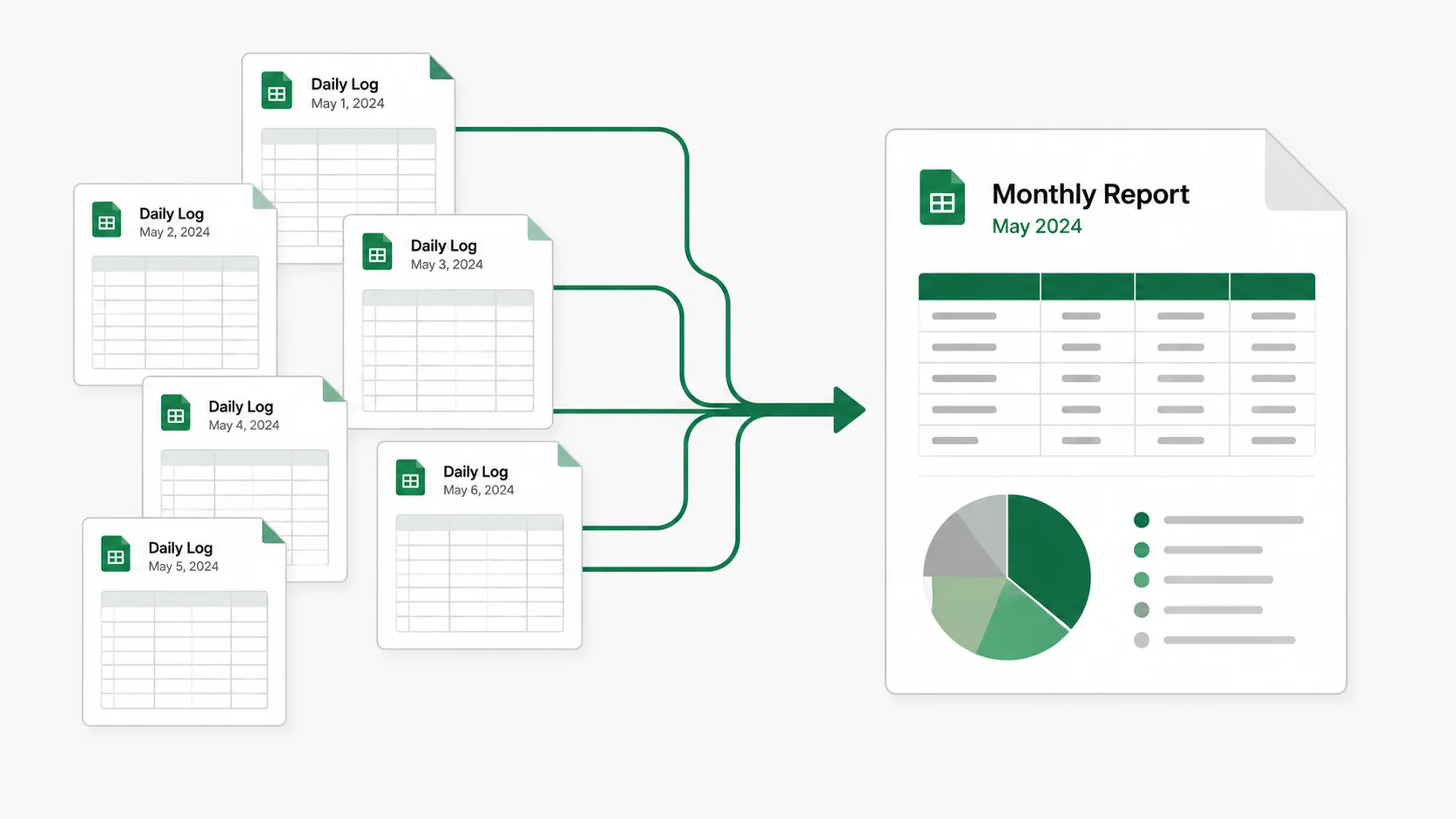
Content operations teams often lose billable hours to manual reporting. To solve this for Consult PR, I built the Intensity System, a custom reporting solution for agencies using Google Apps Script. This automation saved over 10 hours a month, stopped human error, and created an automated monthly reporting process.
What is content operations automation?
Content operations automation is the process of using scripts and tools to handle repetitive administrative tasks, like data entry and reporting, without manual copying and pasting.
The cost of manual agency reporting
Growth at Consult PR was slowing down due to administrative work, rather than a lack of client projects.
Every working day, staff members typed client names, hours, and task details into their own daily spreadsheet tabs. At the end of the month, compiling this data took hours of copying and pasting to figure out staff workloads and client hours.
This manual process broke easily. A single typo in a client name meant the final monthly report was wrong. The agency did not need expensive third-party software; they needed their existing Google Sheets setup to work like a real application.
We needed a systematic, automated workflow to replace manual data consolidation.
Building custom reporting solutions for agencies
To fix the underlying data entry problem, I built a custom Google Apps Script suite that runs in the background. It standardizes how data goes in and automates how reports come out.
- Standardizing the Input: I set up a central “Client & Task List” as the main list. A background script constantly syncs dropdown menus across all daily tabs. When a new client is added to the master list, every daily tab updates instantly. This ensures 100% data accuracy.
- Automating the Output: At the end of the month, one click starts the Aggregation Engine. It checks every daily tab, extracts task data, sorts hours, and creates a structured monthly report for each staff member.
- Visualizing the Impact: Because raw tables are hard to read quickly, the system generates 3D pie charts showing client and task type distribution. This gives management a quick, clear view of operations.
Engineering reliable Google Sheets automation
Building a reliable system inside Google Sheets requires clean code and clear rules.
At first, I built the system as four separate scripts (v1.0) for Dropdown Sync, Table Aggregation, Chart Generation, and Tab Auto-Renaming. While it worked, it was hard to maintain.
To make it faster and easier to update, I rewrote the tool for the v1.1 update, combining the four scripts into one unified system.
- Centralized Configuration: I replaced scattered variables with shared settings, making the system easier to expand later.
- Performance Caching: The dropdown sync uses the Google Cache Service with a 5-minute timeout. This keeps the
onEdit()triggers fast without asking the central sheet for data every time a user types. - Fresh Rebuilds: Every run completely deletes and rebuilds the final tables and charts. This stops old data from piling up and avoids errors from shared state.
Business impact: Scaling operations
The Intensity System scaled Consult PR’s reporting capabilities and removed their monthly administrative bottleneck.
| Operational Problem | The Custom Solution | Business Impact |
|---|---|---|
| Inconsistent naming and typos | Centralized dropdown sync | 100% Data Accuracy |
| Manual creation of daily tabs | Auto-detection and renaming script | Instant monthly setup |
| Hours of manual copy-pasting | One-click data extraction engine | Over 10 Hours saved monthly |
| Hard to visualize workload | Automated 3D chart generation | Immediate operational visibility |
What we learned
Automation works best when users barely notice it. By keeping the interface entirely inside Google Sheets, a tool the staff already used every day, we got 100% adoption with zero training time.
When you remove the manual reporting burden, you free up your team to focus on work that actually grows the business.